Plan a Path#
In this tutorial, we will talk about how to plan paths for the agent. As shown in the demo, the robot needs to move the three boxes a bit forward. The full script can be found here demo.py. You will also need demo_setup.py and grab the panda URDF.
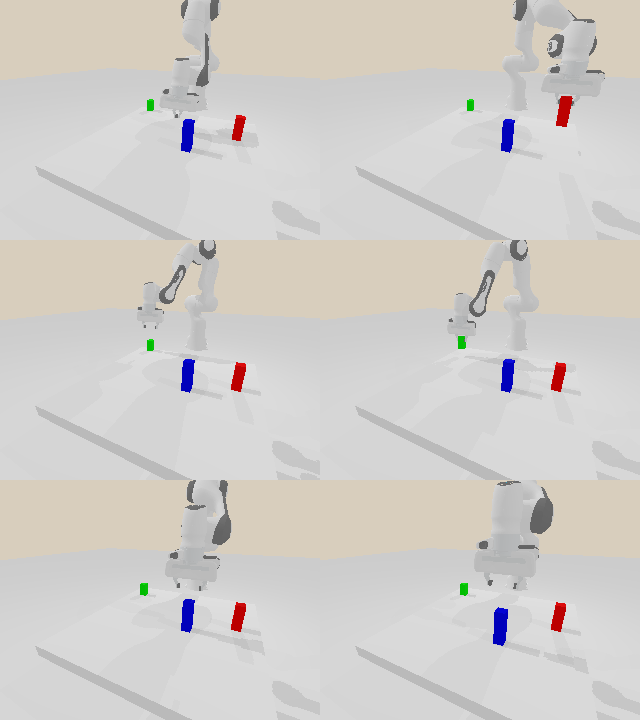
plan with RRTConnect#
Note
This tutorial only talks about the basic usages, and the robot only avoids self-collisions (i.e., collisions between the robot links) in this demo. Please refer to Collision Avoidance to include the environment model and other advanced usages.
Plan with sampling-based algorithms#
mplib supports state-of-the-art sampling-based motion planning algorithms by leveraging OMPL. You can call planner.plan_pose() to plan a path for moving the move_group link to a target pose:
        print("plan_pose")
        result = self.planner.plan_pose(pose, self.robot.get_qpos(), time_step=1 / 250)
Specifically, planner.plan_pose() takes two required arguments as input. The first one is the target pose of the move_group link. It’s a 7-dim list, where the first three elements describe the position part, and the remaining four elements describe the quaternion (wxyz) for the rotation part. Note that the pose is relative to the world frame. Normally, the base link of the robot is the world frame unless you have called set_base_pose(new_pose) in on the planner. You can also temporarily plan w.r.t. the robot base by passing in wrt_world=False.
The second argument is the current joint positions of all the active joints (not just all the active joints in the movegroup). The planner.plan_pose() function first solves the inverse kinematics to get the joint positions for the target pose. It then calls the RRTConnect algorithm to find a path in the joint space. Finally, it simplifies the path and parameterizes the path to generate time, velocity, and acceleration information.
planner.plan_pose() returns a dict which includes:
status: a string indicates the status:Success: planned a path successfully.IK Failed: failed to solve the inverse kinematics. This may happen when the target pose is not reachable.RRT Failed: failed to find a valid path in the joint space. This may happen when there is no valid path or the task is too complicated.
position: a NumPy array of shape \((n \times m)\) describes the joint positions of the waypoints. \(n\) is the number of waypoints in the path, and each row describes a waypoint. \(m\) is the number of active joints that affect the pose of themove_grouplink. For example, for our panda robot arm, each row includes the positions for the first seven joints.duration: a scalar indicates the duration of the output path.mplibreturns the optimal duration considering the velocity and acceleration constraints.time: a NumPy array of shape \((n)\) describes the time step of each waypoint. The first element is equal to 0, and the last one is equal to theduration. Argumenttime_stepdetermines the interval of the elements.velocity: a NumPy array of shape \((n \times m)\) describes the joint velocities of the waypoints.acceleration: a NumPy array of shape \((n \times m)\) describing the joint accelerations of the waypoints.
planner.plan_pose() also takes other optional arguments with default values:
- Planner.plan_pose(
- goal_pose: Pose,
- current_qpos: ndarray,
- mask: list[bool] | ndarray | None = None,
- *,
- time_step: float = 0.1,
- rrt_range: float = 0.1,
- planning_time: float = 1,
- fix_joint_limits: bool = True,
- wrt_world: bool = True,
- simplify: bool = True,
- constraint_function: Callable | None = None,
- constraint_jacobian: Callable | None = None,
- constraint_tolerance: float = 1e-3,
- verbose: bool = False,
plan from a start configuration to a goal pose of the end-effector
- Parameters:
goal_pose – pose of the goal
current_qpos – current joint configuration (either full or move_group joints)
mask – if the value at a given index is True, the joint is not used in the IK
time_step – time step for TOPPRA (time parameterization of path)
rrt_range – step size for RRT
planning_time – time limit for RRT
fix_joint_limits – if True, will clip the joint configuration to be within the joint limits
wrt_world – if true, interpret the target pose with respect to the world frame instead of the base frame
verbose – if True, will print the log of OMPL and TOPPRA
Follow a path#
plan_pose() outputs a time-parameterized path, and we need to drive the robot to follow the path. In this demo, we use sapien to simulate and drive the robot.
    def follow_path(self, result):
        """Helper function to follow a path generated by the planner"""
        # number of waypoints in the path
        n_step = result["position"].shape[0]
        # this makes sure the robot stays neutrally boyant instead of sagging
        # under gravity
        for i in range(n_step):
            qf = self.robot.compute_passive_force(
                gravity=True, coriolis_and_centrifugal=True
            )
            self.robot.set_qf(qf)
            # set the joint positions and velocities for move group joints only.
            # The others are not the responsibility of the planner
            for j in range(len(self.planner.move_group_joint_indices)):
                self.active_joints[j].set_drive_target(result["position"][i][j])
                self.active_joints[j].set_drive_velocity_target(
                    result["velocity"][i][j]
                )
            # simulation step
            self.scene.step()
            # render every 4 simulation steps to make it faster
            if i % 4 == 0:
                self.scene.update_render()
                self.viewer.render()
Note
If you find your robot doesn’t move as expected, please double-check your controller, especially the controller’s parameters. In many cases, the planner finds a good path while the controller fails to follow the path.
Plan with screw motion#
Besides using the sampling-based algorithms, we also provide another simple way (trick) to plan a path. For some tasks, we can directly move the move_group link towards the target pose. It’s internally achieved by first calculating the relative transformation from its current pose to the target pose, then calculating the relative transformation’s exponential coordinates, and finally calculating the joint velocities with the Jacobian matrix.
Compared to the sampling-based algorithms, planning with screw motion has the following pros:
faster: since it doesn’t need to sample lots of states in the joint space, planning with screw motion can save lots of planning time.
straighter path: there is no guarantee for sampling-based algorithms to generate straight paths even it’s a simple lifting task since it connects states in the joint space. In contrast, the returned path by the exponential coordinates and the Jacobian matrix can sometimes be more reasonable. See the above figures for comparison.
You can call planner.plan_screw() to plan a path with screw motion. Similar to planner.plan_pose(), it also takes two required arguments: target pose and current joint positions, and returns a dict containing the same set of elements.
    def plan_screw(
        self,
        goal_pose: Pose,
        current_qpos: np.ndarray,
        *,
        qpos_step: float = 0.1,
        time_step: float = 0.1,
        wrt_world: bool = True,
        verbose: bool = False,
    ) -> dict[str, str | np.ndarray | np.float64]:
However, planning with screw motion only succeeds when there is no collision during the planning since it can not detour or replan. We thus recommend use planner.plan_screw() for some simple tasks or combined with planner.plan_pose(). As shown in the code, we first try planner.plan_screw(), if it fails (e.g., collision during the planning), we then turn to the sampling-based algorithms. Other arguments are the same with planner.plan_pose().
Move the boxes#
In this example, we create some boxes inside the simulation like so:
        builder = self.scene.create_actor_builder()
        builder.add_box_collision(half_size=[0.02, 0.02, 0.06])
        builder.add_box_visual(half_size=[0.02, 0.02, 0.06])
        red_cube = builder.build(name="red_cube")
        red_cube.set_pose(sapien.Pose([0.4, 0.3, 0.06]))

        builder = self.scene.create_actor_builder()
        builder.add_box_collision(half_size=[0.02, 0.02, 0.04])
        builder.add_box_visual(half_size=[0.02, 0.02, 0.04])
        green_cube = builder.build(name="green_cube")
        green_cube.set_pose(sapien.Pose([0.2, -0.3, 0.04]))

        builder = self.scene.create_actor_builder()
        builder.add_box_collision(half_size=[0.02, 0.02, 0.07])
        builder.add_box_visual(half_size=[0.02, 0.02, 0.07])
        blue_cube = builder.build(name="blue_cube")
        blue_cube.set_pose(sapien.Pose([0.6, 0.1, 0.07]))
We then find the target poses needed to reach the boxes.
        poses = [
            [0.4, 0.3, 0.12, 0, 1, 0, 0],
            [0.2, -0.3, 0.08, 0, 1, 0, 0],
            [0.6, 0.1, 0.14, 0, 1, 0, 0],
        ]
Then, we plan and execute the motion:
        for i in range(3):
            pose = poses[i]
            pose[2] += 0.2
            self.move_to_pose(pose)
            self.open_gripper()
            pose[2] -= 0.12
            self.move_to_pose(pose)
            self.close_gripper()
            pose[2] += 0.12
            self.move_to_pose(pose)
            pose[0] += 0.1
            self.move_to_pose(pose)
            pose[2] -= 0.12
            self.move_to_pose(pose)
            self.open_gripper()
            pose[2] += 0.12
            self.move_to_pose(pose)
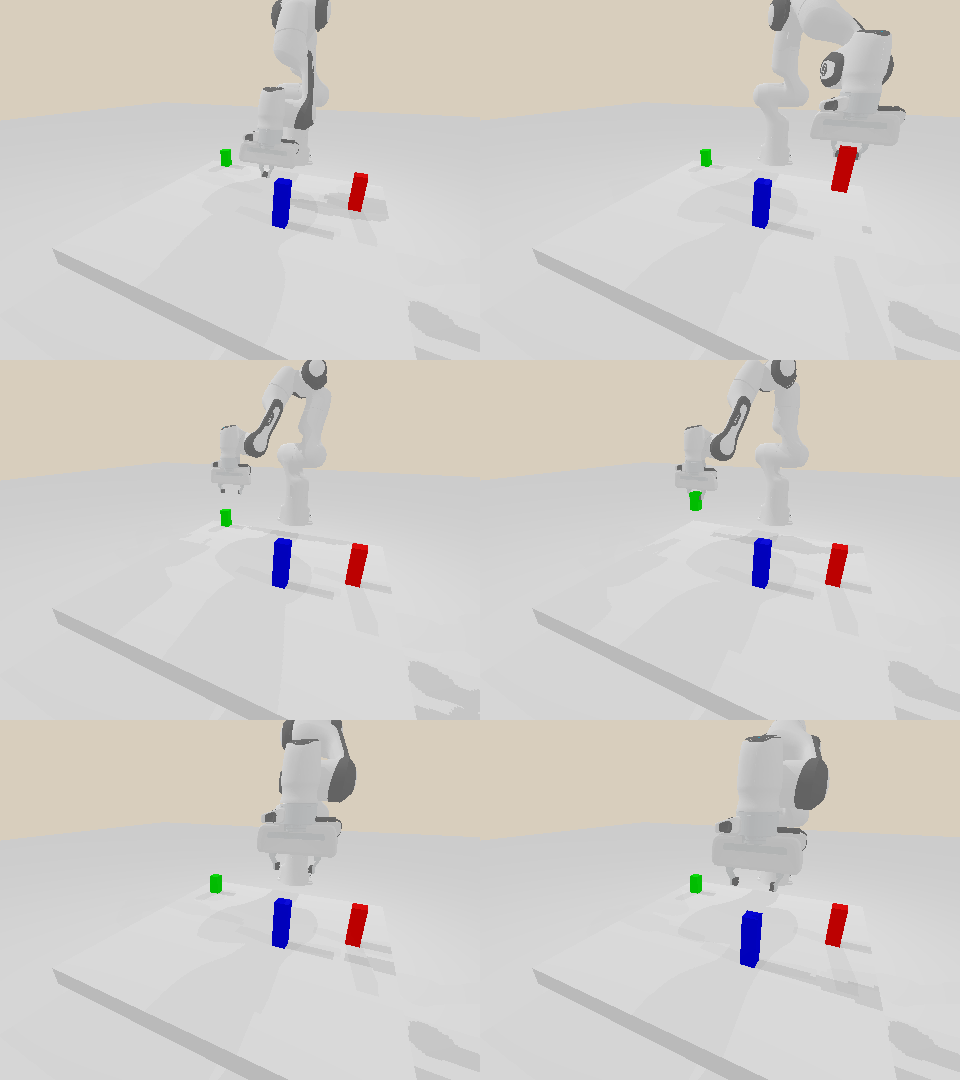
plan with screw motion#